How 1Take works
From script to clean video on your iPhone, without starting over each time you trip on a word.


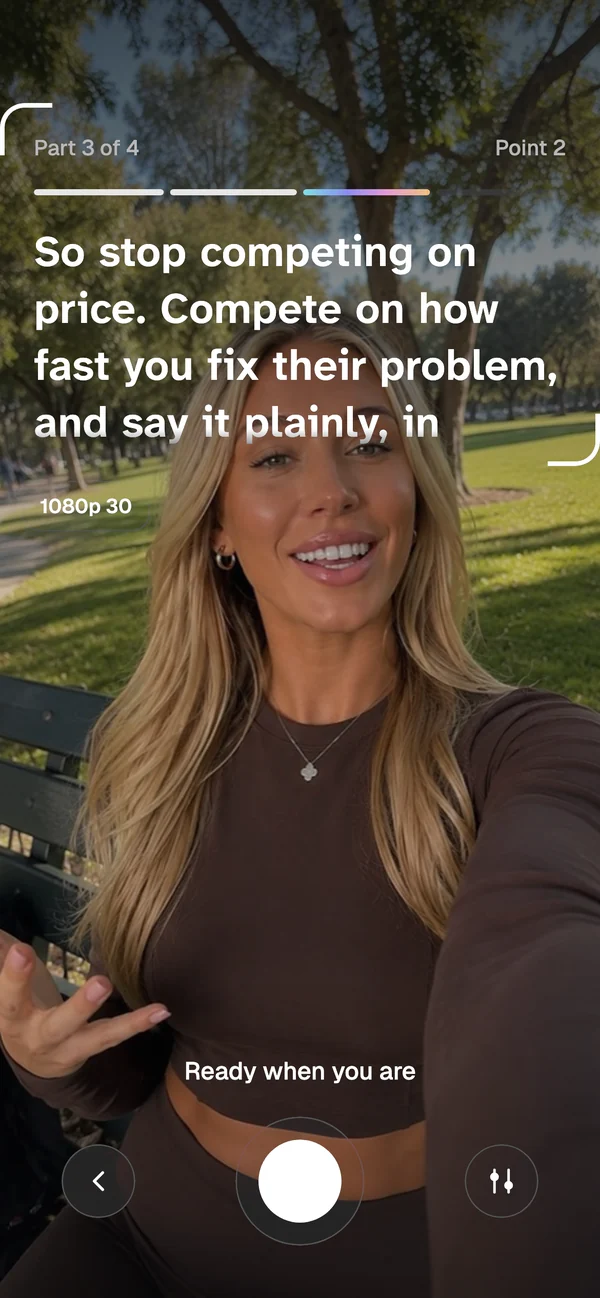
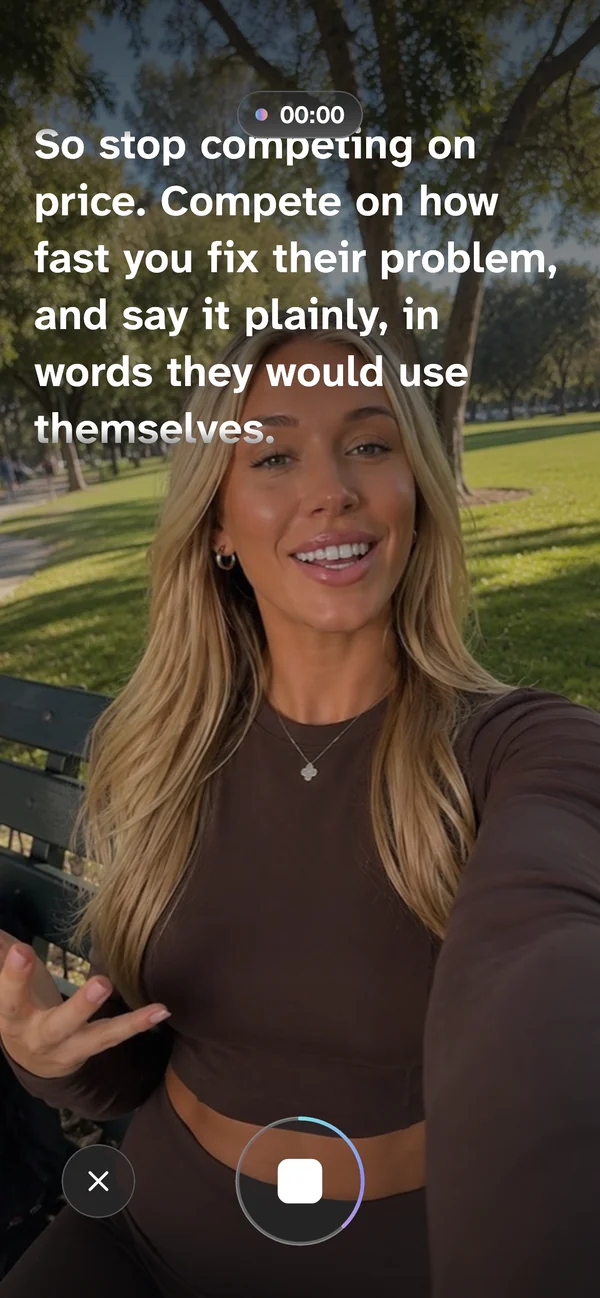

Your scripts, ready for the next take.
Write or paste your script
Write it in 1Take, paste it in from anywhere, or start from a template. 1Take splits it into a hook and short scenes, where your thoughts change.
Read it by the lens
Your script sits at the top of the screen, right by the camera, and rolls up as you talk. You keep your eyes on your viewers.
Redo any part, even the hook
Record the hook, then one scene at a time. Keep what went well and retake only what didn't, without starting over.
Walk away with one clean clip
1Take stitches the hook and the scenes into one clip, trims the silence and saves it to Photos, ready to post.

Free to download. For iPhone with iOS 18 or later.